Best Bluetooth Speaker for a Desk and Home Office
Bluetooth speaker for a desk, home office or computer: Bluetooth vs USB-C audio, video delay, multipoint, speakerphone, footprint, Wi-Fi and AirPlay, plus picks.
At a glance
For a desk, the Marshall Middleton II offers a built-in mic, a 3.5 mm aux input and 30+ hours per Marshall. The Beats Pill is smaller, with USB-C audio and calls. The Sonos Move 2 adds AirPlay 2 and Wi-Fi for a home office, but it is heavy and needs the Sonos app.
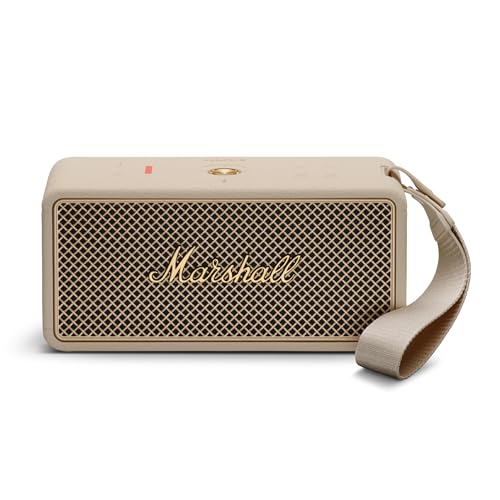
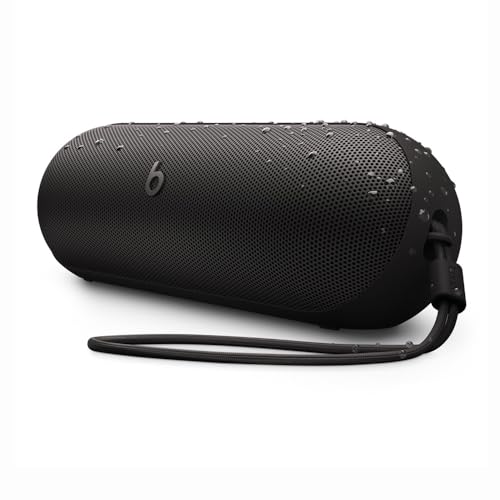
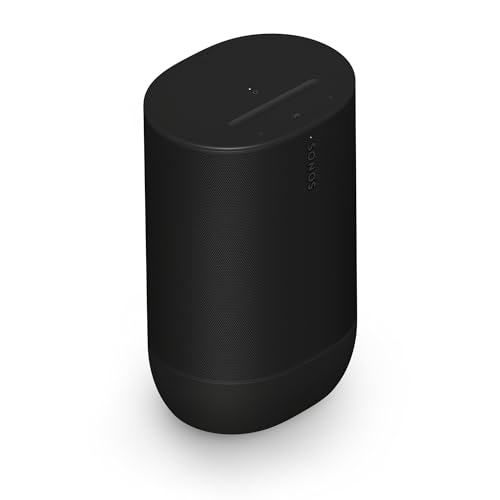
A desk speaker has a different job from a backyard speaker. It sits a couple of feet from your face, it plays at a low volume, it may need to handle video calls, and it has to fit next to a monitor. Battery life matters less than connections and footprint. We do not test products ourselves. Everything here comes from maker pages and public sources we opened, and where a page is silent we say so. For the full ranking, see our best portable speakers of 2026 comparison.
Bluetooth or a Wire?
Bluetooth is convenient, and it is what most people use. It has two catches at a desk. One is a small delay: audio goes through the radio link and an encoder, so video can drift out of sync with the picture. None of the maker pages we opened for these speakers publish a latency number, so we cannot tell you how large it is for any model. The other is codec support. Marshall lists SBC, AAC and LC3 for the Middleton II, with no aptX or LDAC, so audio quality depends on what your computer supports.
A wire avoids both. Beats lists high-resolution lossless audio over a USB-C cable for the Pill, so a laptop with a USB-C port can play to it directly. Beats does not say which devices are supported, so check yours. Marshall lists a 3.5 mm aux input on the Middleton II, which works with any laptop that still has a headphone jack. Sonos lists USB-C line-in for the Move 2, but it needs a 3.5 mm aux cable and the Sonos Line-In Adapter, sold separately. If you watch a lot of video on the speaker, a wired connection is the simplest fix, and some listings do not include the cable, so check the box contents.
Multipoint: Laptop and Phone at Once
Multipoint keeps a speaker connected to two sources. At a desk, that means your laptop plays a video and your phone can still ring through the same speaker, without re-pairing. Marshall lists multipoint for the Middleton II, and Bose lists it for the SoundLink Flex (2nd Gen) as a connection to two paired source devices at the same time. The Beats Pill page does not mention it. If you switch between a work computer and a personal phone, put multipoint on your must-have list.
Speakerphone and Video Calls
Check which speakers list a microphone. Marshall lists a built-in microphone on the Middleton II, and its control knob answers calls. Beats says you can take calls and activate your voice assistant from the Pill, and it has call controls on the center button. Neither maker describes noise reduction or the number of microphones, so treat them as fine for a one-person call in a quiet room, not a conference table. The Sonos Move 2 has a far-field microphone array, but Sonos does not describe it as a speakerphone, so we do not claim calls. Its mic has a switch on the back that Sonos says disconnects all power to the microphone hardware, a plus in a home office. Also check your meeting app: it decides which speaker and microphone are used.
Footprint on the Desk
- Beats Pill: 8.6 by 2.8 by 2.8 inches and 24 oz, according to Beats. A long, thin shape that fits beside a monitor or on a shelf.
- Marshall Middleton II: 9.05 by 3.86 by 4.33 inches and 3.9 lb, according to Marshall. Wider and heavier, and it has knobs on top that you need room to reach.
- Sonos Move 2: 9.49 inches tall, 6.3 wide, 5.00 deep and 6.61 lb, according to Sonos. It is a shelf speaker, not a monitor-side one.
- JBL Flip 7: about 7.2 by 2.7 by 2.8 inches at roughly 1.23 lb, per JBL and Notebookcheck.
Wi-Fi and AirPlay for a Home Office
Only the Sonos Move 2 is a Wi-Fi speaker. Sonos lists Wi-Fi 6 on 2.4 and 5 GHz, AirPlay 2 for iOS 11.4 and higher on Wi-Fi, and Bluetooth 5.3. That means you can stream from an iPhone or a Mac over your network instead of Bluetooth, join a Sonos multiroom group and use Automatic Trueplay tuning. Most of that needs the Sonos app and a Wi-Fi network. If you own no Sonos gear and never use AirPlay, you are paying for features you will not use.
Keeping the Volume Reasonable
In a shared office, the usual rule is simple: if a coworker can hear it, it is too loud. Ask before you play anything. At home, apartments have rules too. Fargo, North Dakota, says noise in an apartment is unreasonable if it is audible in the adjacent hallway or unit, and uses quiet hours of 10 p.m. to 6 a.m. for gatherings. Your lease, employer and city may differ. Put the speaker near you, not near the wall you share with a neighbor, and keep the volume low enough to hear a doorbell.
Our Picks for a Desk
Marshall Middleton II: Speakerphone, Aux, and Long Battery
A mid-range speaker with a built-in microphone, a 3.5 mm aux input, multipoint and 30+ hours of playtime per Marshall. Amp-style looks and physical bass and treble knobs.
The Middleton II lists 50 Hz to 20 kHz and 87 dB SPL maximum at 1 meter (3.3 feet), with USB-C input and a replaceable battery. It does not mention Auracast or pairing two speakers. At 3.9 lb it is a desk or shelf speaker. See the Marshall Middleton II profile.
Beats Pill: Compact, USB-C Audio, and Calls
An entry-level speaker with USB-C lossless audio, call controls and Find My on iPhone and Find My Device on Android. Up to 24 hours per Beats.
The Pill is the smallest pick with both a wired input and a mic. Beats publishes no Bluetooth version, codec list or companion app, and does not mention multipoint. See the Beats Pill profile.
Sonos Move 2: Wi-Fi and AirPlay 2 for a Home Office
A premium, 6.61 lb speaker with Wi-Fi 6, AirPlay 2, Bluetooth 5.3, automatic Trueplay and a removable battery. Best for a Sonos or AirPlay home.
JBL Flip 7: Small and Music Only
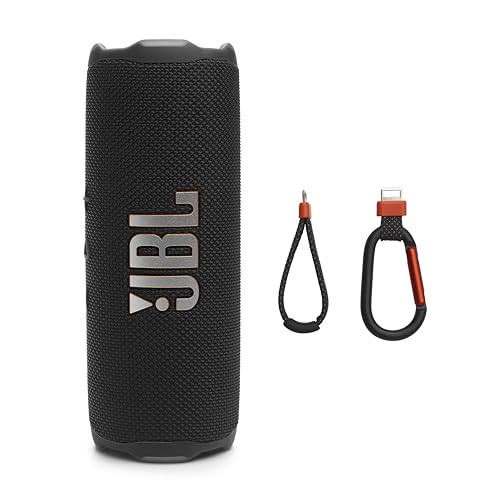
An entry-level, compact speaker with IP68, Bluetooth 5.4 and USB-C lossless audio per JBL. JBL's page lists no microphone, so it is music only.
If you want music at a small desk and use headphones for calls, the Flip 7 is the lightest option. JBL says lossless over USB-C needs a compatible source and the JBL Portable app. See the JBL Flip 7 profile.
What to Pick
- You want calls plus a wired input: the Marshall Middleton II.
- You want the smallest speaker with a mic: the Beats Pill.
- You live in a Sonos or AirPlay home: the Sonos Move 2.
- You want music only on a small desk: the JBL Flip 7.
Sources
Frequently asked questions
Is a Bluetooth speaker good enough for a computer?
For music and calls, yes. For video, Bluetooth adds some delay between picture and sound, and none of the maker pages we opened publish a latency figure. If lip sync bothers you, use a wired connection: Beats lists USB-C lossless audio for the Pill, and Marshall lists a 3.5 mm aux input for the Middleton II.
What is multipoint, and do I need it at a desk?
Multipoint lets a speaker stay connected to two devices at once, such as a laptop and a phone. Marshall lists it for the Middleton II, and Bose lists it for the SoundLink Flex (2nd Gen). The Beats and Sonos pages we opened do not mention it.
Which of these can handle a conference call?
Marshall lists a built-in microphone for hands-free calls on the Middleton II, and Beats says you can take calls from the Pill. Neither describes noise reduction. Sonos lists a far-field microphone array on the Move 2 but does not describe it as a speakerphone, so we do not recommend it for calls. Your laptop's meeting app still decides which microphone and speaker are used.
Do I need Wi-Fi for a home office speaker?
Only for the Sonos Move 2. Sonos lists Wi-Fi 6 and AirPlay 2 for iOS 11.4 and higher on Wi-Fi, plus Bluetooth 5.3, and most of its extra features need the Sonos app and a network. The Beats Pill and Marshall Middleton II connect over Bluetooth, and the Pill and Marshall also have wired inputs.
How much desk space does each one take?
Beats lists the Pill at 8.6 by 2.8 by 2.8 inches and 24 oz. Marshall lists the Middleton II at 9.05 by 3.86 by 4.33 inches and 3.9 lb. Sonos lists the Move 2 at 9.49 inches tall, 6.3 wide and 5.00 deep, and 6.61 lb. The JBL Flip 7 is about 7.2 by 2.7 by 2.8 inches.
How do I keep the volume reasonable in a shared office or apartment?
Keep it low enough that coworkers or neighbors do not hear it. Fargo, North Dakota, treats noise as unreasonable in an apartment if it is audible in the adjacent hallway or unit, and uses quiet hours of 10 p.m. to 6 a.m.. Your lease, your employer and your city may have different rules.